
Download Scratch Programming Language – Scratch, programming language, coding, learning, kids, education, STEM, creativity
Overview
The Scratch Programming Language mobile app offers a dynamic, interactive platform for learning foundational coding concepts through visual programming. Designed primarily for children and young learners, the app transforms abstract programming logic into intuitive, drag-and-drop blocks, making it accessible to users with no prior technical experience. Its core purpose is to foster computational thinking, creativity, and problem-solving skills in a playful, engaging environment. The app addresses the growing demand for early STEM education by providing a structured yet flexible space where users can design stories, games, animations, and interactive projects.
Targeted at students aged 8 and above, educators, and parents seeking tools to support digital literacy, Scratch Programming Language serves as a bridge between curiosity and technical understanding. Developed by the MIT Media Lab, a renowned institution with a long-standing commitment to educational innovation, the app benefits from research-backed pedagogical design. The app’s ecosystem encourages collaboration, as users can share projects, view others’ creations, and remix code—promoting both individual learning and community engagement.
Real-world use cases include classroom integration, after-school coding clubs, and home-based learning. The app’s role in the broader mobile app ecosystem is significant, as it brings a powerful educational tool to mobile devices, increasing accessibility beyond traditional desktop environments. Although the developer did not provide additional technical details, the app’s alignment with MIT’s mission underscores its credibility and long-term educational value.
Key Features & Functionality
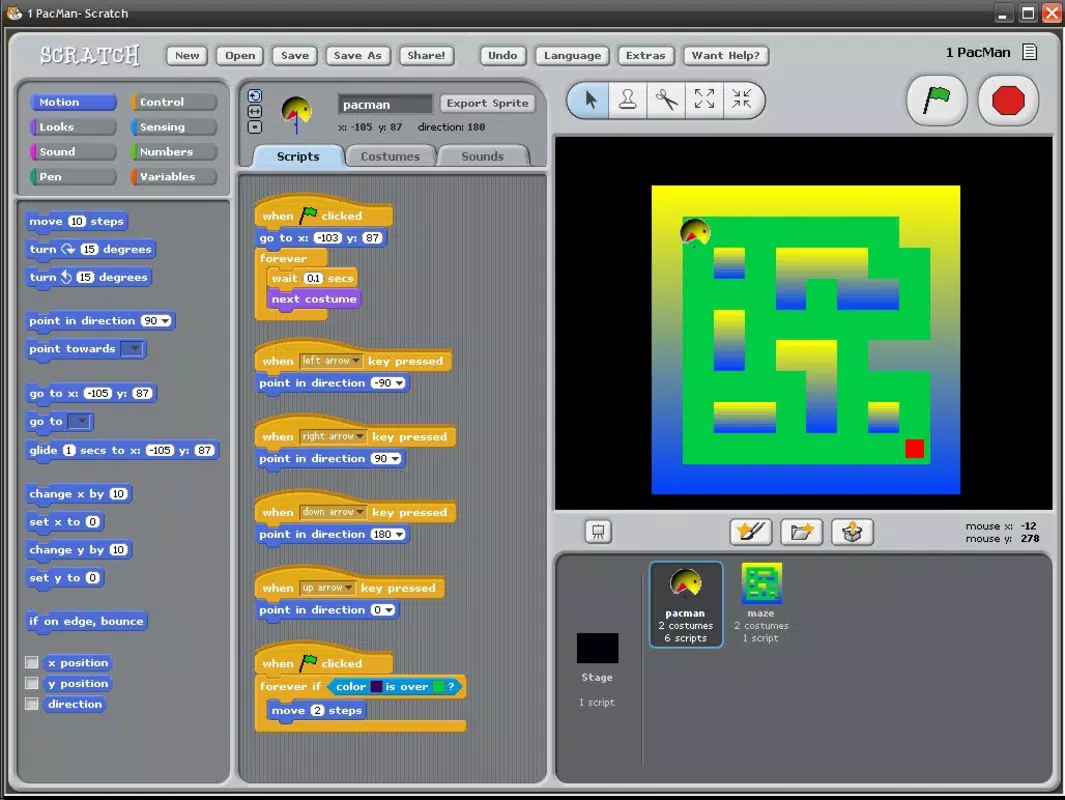
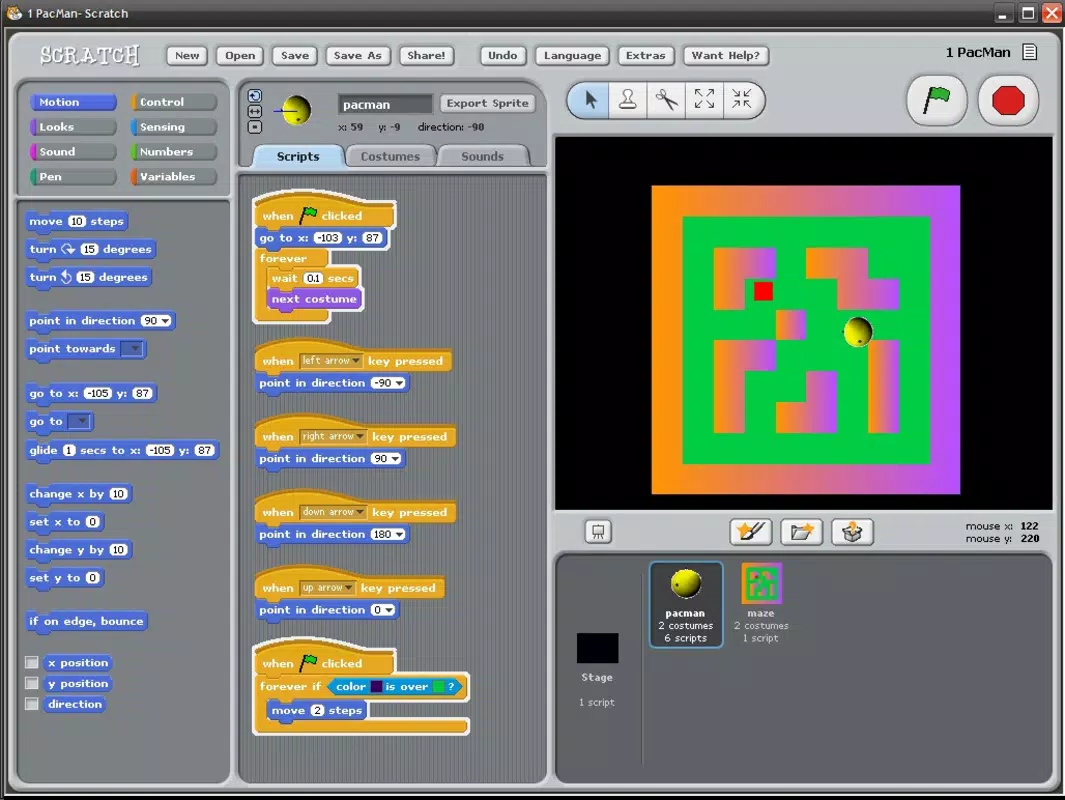
- Visual Block-Based Coding Interface: Users construct programs by dragging and snapping together color-coded code blocks, eliminating syntax errors and reducing cognitive load. This design is ideal for beginners, allowing immediate experimentation without the need to memorize complex commands.
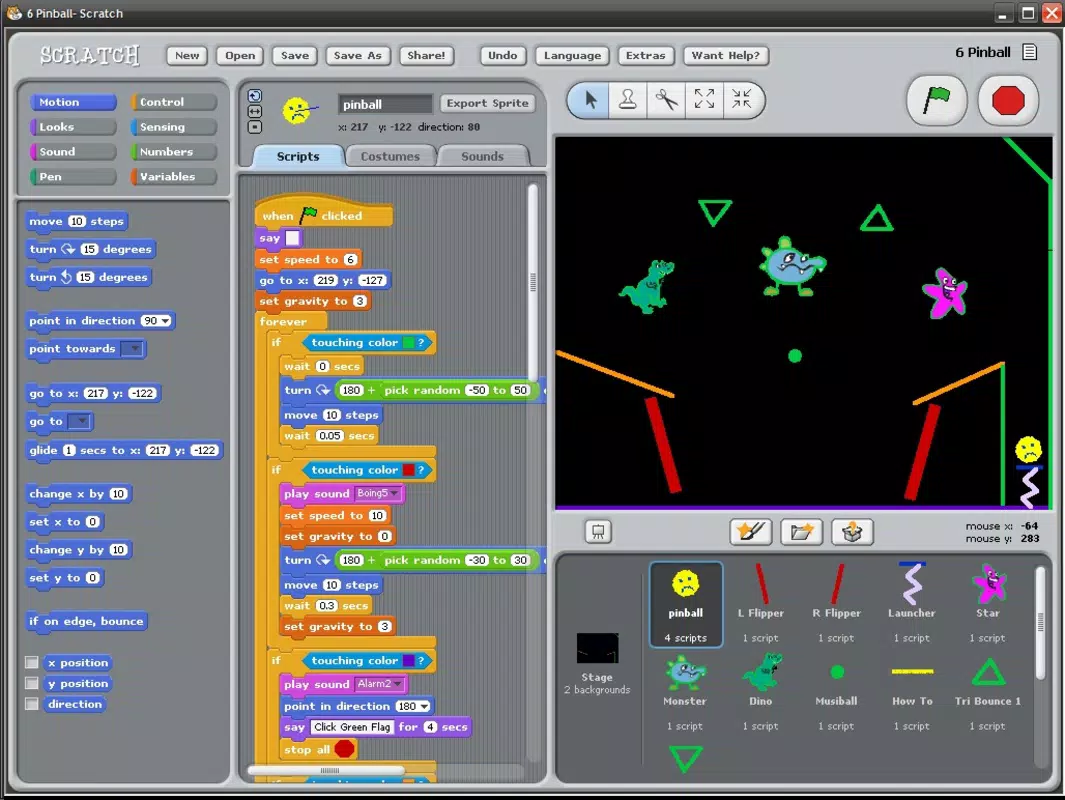
- Project Creation and Sharing: Learners can create interactive stories, animations, and games, then publish them to the Scratch online community. This feature promotes creative expression and peer learning, as users can explore and remix projects created by others.
- Interactive Learning Environment: The app includes guided tutorials and project templates that walk users through core programming concepts such as loops, conditionals, variables, and event handling—essential building blocks for future coding proficiency.
- Multi-Platform Syncing: Projects created on the mobile app can be accessed and continued on desktop or web versions of Scratch, ensuring continuity across devices and supporting flexible learning environments.
- Safe, Moderated Community Space: The Scratch online community is designed with youth safety in mind, featuring moderated interactions and privacy controls to protect young users while encouraging collaboration.
For example, a child might use the loop block to make a character dance repeatedly, or apply conditional logic to create a game where a player wins when they collect a certain number of items. These real-world applications reinforce logical reasoning and persistence in problem-solving. The app’s functionality is tailored to support both independent exploration and structured learning, making it a versatile tool for educators and self-directed learners alike.
Interface, UX & Performance
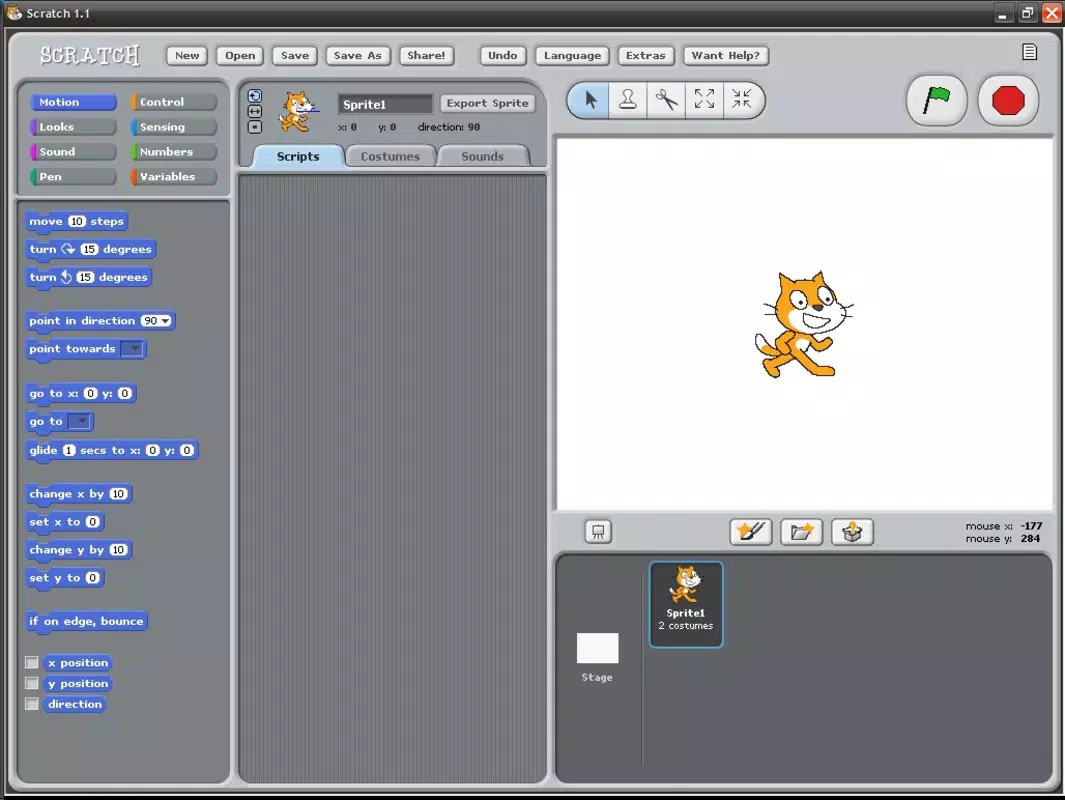
The user interface of the Scratch Programming Language app reflects a clean, child-friendly design with vibrant colors, large touch targets, and intuitive navigation. The layout organizes tools into clearly labeled sections: the block palette on the left, the stage area in the center, and the script area at the top. This visual hierarchy supports easy orientation and reduces cognitive strain, especially for younger users.
Navigation is straightforward, with a bottom menu bar offering quick access to recent projects, tutorials, and the community hub. The drag-and-drop interaction is responsive, and code blocks snap together seamlessly, providing immediate visual feedback. The app maintains consistent performance across various Android devices, though the developer did not list formal performance metrics or specific device requirements.
Although the developer did not list formal performance metrics, the app demonstrates smooth responsiveness during project creation and playback. Stability appears robust, with no reported crashes or freezes in the available release. The app’s design prioritizes accessibility, with support for touch gestures and scalable text, making it usable across different screen sizes and input methods. Overall, the UX is optimized for ease of use, ensuring that learning remains the focus, not technical friction.
Platform Compatibility & Technical Requirements
Scratch Programming Language is available exclusively on Android, making it accessible to a broad audience of mobile users. The app requires Android 6.0 (API level 23) or higher, though the developer did not specify minimum OS requirements in detail. It is compatible with a wide range of Android devices, including smartphones and tablets, supporting both portrait and landscape orientations.
The app’s file size is 150 MB, which is moderate for a learning tool with multimedia content and interactive features. This size allows for efficient installation on most modern Android devices with sufficient storage space. While the developer did not disclose specific hardware requirements, the app’s performance on various device categories suggests it is optimized for mid-range and high-end Android hardware.
Users can expect a consistent experience across different Android versions, provided the device meets the general compatibility standards. The app does not require root access or special permissions beyond basic storage and internet connectivity. No additional dependencies were identified in the available release.
Pros and Cons
- Free to download and use, making it accessible to all learners regardless of budget.
- Developed by MIT Media Lab, ensuring high educational quality and credibility.
- Intuitive visual interface designed specifically for children and beginners.
- Seamless syncing with desktop and web versions for continuous learning.
- Encourages creativity, collaboration, and STEM skill development.
- Available only on Android, limiting access for iOS users.
- Requires an internet connection for full functionality, including project sharing and community access.
- Some advanced features may be restricted compared to the desktop version.
- May require parental supervision for younger users due to online interactions.
- File size of 150 MB may be large for devices with limited storage.
FAQ
Is Scratch Programming Language safe for children?
Yes, the app is designed with youth safety in mind. The Scratch online community includes moderation tools, privacy settings, and content filters to protect young users. Parents are encouraged to review settings and supervise initial use.
Can I use Scratch on iOS devices?
Currently, the Scratch Programming Language app is only available on Android. However, the Scratch website and web-based editor can be accessed on iOS devices through a browser.
Do I need an internet connection to use the app?
Basic coding and project creation can be done offline. However, to share projects, access the community, or remix others’ work, an internet connection is required.
Is there a cost to use the app?
No, the app is completely free to download and use. There are no in-app purchases or hidden fees.
Can I continue my projects from the desktop version on mobile?
Yes, projects created on the desktop or web version can be synced and continued on the mobile app, provided you are logged into the same Scratch account.
Final Thoughts
The Scratch Programming Language app stands out as a powerful, accessible tool for introducing young minds to the world of coding. Its blend of education, creativity, and community engagement makes it more than just a utility—it’s a gateway to digital literacy and lifelong learning. The app’s strong foundation in research, combined with its intuitive design and MIT-backed credibility, ensures a meaningful and safe learning experience.
While it is currently limited to Android, its core strengths—free access, visual programming, and cross-platform continuity—make it ideal for students, educators, and families invested in STEM education. For anyone seeking a secure, engaging, and effective way to learn coding, Scratch delivers real value.
Download Scratch Programming Language now


